Why MP Bhulekh Map Doesn’t Match Physical Boundaries
If you’ve been using the MP Bhulekh portal to check your land records, you might have noticed something puzzling: sometimes the MP Bhulekh map doesn’t seem to match the physical boundaries of your land. This can be a bit frustrating, especially if you’re trying to resolve disputes or make land transactions. But don’t worry! Let’s break down why this happens and how you can deal with it.
Inaccurate Data or Mapping Errors
One of the most common reasons the map may not match the physical boundaries is inaccurate data or mapping errors. The MP Bhulekh portal uses digital maps that are based on survey data. Sometimes, this data may be outdated, or errors could have occurred during the surveying process. These errors can cause the boundaries to appear off by a few meters or even more.
Tip: Always compare the map on MP Bhulekh with the actual land on the ground. If the difference is small, it could be due to mapping errors. आप यह भी पढ़ सकते हैं : एमपी भूलेख पोर्टल पर eKYC OTP समस्याओं को कैसे हल करें
Outdated Survey Data
Land records are updated based on surveys conducted at specific points in time. If the land has been subdivided, sold, or changed since the last survey, the online map may not reflect these changes. This is especially true for land that has been divided or developed more recently, as older maps may still be in use on the portal.
Tip: If you suspect your map is outdated, you can contact your local Tehsil office or land survey department for the most recent records.
Differences in Survey Methods
Before digital mapping was introduced, land surveys were conducted manually using surveying tools and markers. This meant that sometimes boundaries were not accurately marked or recorded. In the case of the MP Bhulekh portal, the map may reflect newer digital survey methods that differ from those old manual methods. This could result in discrepancies between what the map shows and what you see physically.
Tip: If you have a specific plot of land that seems incorrectly mapped, ask a professional surveyor to compare the old and new survey data.
GPS and Technology Limitations
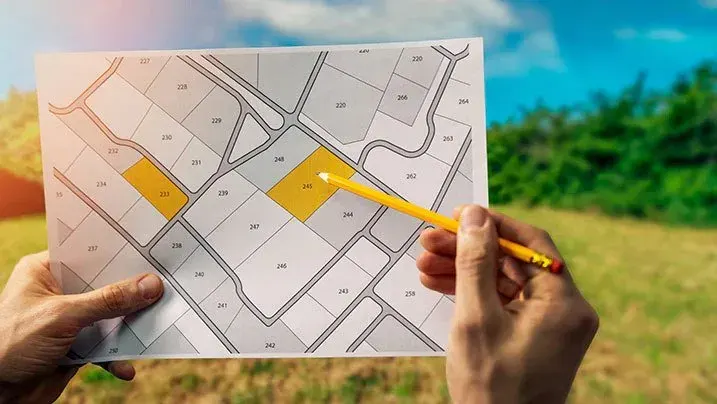
The MP Bhulekh portal uses GPS technology to pinpoint locations on the map. While GPS is very accurate, it can still have limitations, especially when trying to capture boundaries that are not clearly defined or are near physical obstacles. For instance, hills, roads, or rivers might not be reflected properly on the map, causing boundaries to look off.
Tip: If GPS-based data is showing discrepancies, it’s a good idea to do a physical survey using reliable GPS tools to double-check the boundaries.
Human Error During Data Entry
Another possible reason for discrepancies is human error. When land data is being entered into the MP Bhulekh system, mistakes can happen. For example, a wrong plot number or incorrect boundary detail may be recorded, leading to mismatches between the map and the actual land.
Tip: If you notice such an error, it’s important to report it to the authorities or local office to get the correct information updated in the system.
How to Handle Mismatched Boundaries
If you’re facing an issue where the MP Bhulekh map doesn’t match the physical boundaries of your land, here’s what you can do:
FAQs:
Final Words
While it can be frustrating to see the MP Bhulekh map not match your land’s physical boundaries, understanding why this happens is the first step in resolving the issue. Whether it’s due to outdated data, surveying errors, or GPS limitations, there are always ways to fix it. By following the tips above and contacting the right authorities, you can ensure that your land records and physical boundaries align properly.
If you have any concerns, always remember that MP Bhulekh is a digital platform, and like all systems, it has its limitations. With the right approach, you can easily sort out any discrepancies